HTML Attribute Extractor – Extract HTML Attributes
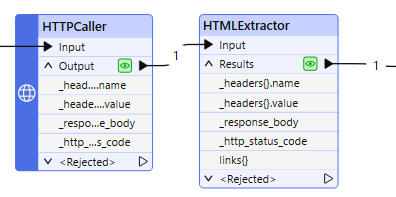
HTML Attribute Extractor – Extract HTML Attributes: Powerful 7 Ways to Analyze HTML
Working with HTML often means dealing with more than just visible text and tags. HTML attributes provide important information about how elements behave, where they point, how they are identified, and how they interact with browsers, CSS, JavaScript, and search engines. An HTML Attribute Extractor makes it easier to find and analyze these attributes without manually searching through large amounts of source code.
An HTML Attribute Extractor can identify attributes such as id, class, href, src, alt, title, style, data-*, name, value, and many others. This can save time when analyzing webpages, debugging code, checking SEO elements, or preparing HTML data for further processing.
Whether you are a web developer, SEO professional, student, tester, or content specialist, extracting HTML attributes can turn a complicated source document into structured and useful information.
This guide explains what an HTML Attribute Extractor is, how it works, its benefits, practical applications, common problems, and seven powerful ways to use it effectively.
HTML Attribute Extractor Overview
An HTML Attribute Extractor is a tool that scans HTML code and identifies attributes associated with HTML elements.
For example:
<a href="https://example.com" class="button" target="_blank">Visit</a>The extractor can identify:
| Attribute | Value |
|---|---|
href | https://example.com |
class | button |
target | _blank |
Instead of manually searching through thousands of lines of HTML, an HTML Attribute Extractor can process the source and organize the attributes for easier analysis.
Outline of This HTML Attribute Extractor Guide
| Section | What You Will Learn |
|---|---|
| What Is an HTML Attribute Extractor? | Basic definition and purpose |
| HTML Attributes Explained | How attributes work |
| How an Attribute Extractor Works | Extraction process |
| Common HTML Attributes | Important examples |
| 7 Powerful Ways to Use It | Practical applications |
| SEO Applications | Attribute analysis for SEO |
| Developer Applications | Debugging and development |
| HTML Attribute Examples | Real examples |
| Manual vs Automated Extraction | Key differences |
| Common Problems | Extraction challenges |
| How to Use an HTML Attribute Extractor | Step-by-step process |
| Best Practices | Accurate extraction techniques |
| Privacy and Security | Safe HTML processing |
| FAQs | Common questions |
| Conclusion | Key takeaways |
What Is an HTML Attribute?
An HTML attribute provides additional information about an HTML element.
Attributes are normally placed inside an opening HTML tag.
For example:
<img src="image.jpg" alt="Red sports car">Here, the element is:
<img>And its attributes are:
src="image.jpg"
alt="Red sports car"
The src attribute tells the browser where the image is located, while alt provides alternative text describing the image.
Attributes can control appearance, behavior, identification, accessibility, relationships, and other properties of an HTML element.
What Is an HTML Attribute Extractor?
An HTML Attribute Extractor is an online or software-based utility that finds attributes within HTML code.
Instead of inspecting every tag manually, the tool analyzes the HTML and returns useful information such as:
- Attribute names
- Attribute values
- Attribute frequency
- Element associations
- URLs
- IDs
- Classes
- Image sources
- Alternative text
- Custom data attributes
For example, given:
<div id="main" class="container" data-category="news">The extractor may return:
id = main
class = container
data-category = news
This makes HTML analysis faster and more organized.
Why Are HTML Attributes Important?
HTML attributes serve several important purposes.
Identification
The id attribute uniquely identifies an element within a page.
<div id="header">Styling
The class attribute connects elements with CSS rules.
<div class="product-card">Navigation
The href attribute defines a hyperlink destination.
<a href="/contact">Contact</a>Images
The src attribute specifies an image resource.
<img src="product.jpg">Accessibility
The alt attribute provides alternative text for images.
<img src="logo.png" alt="Company logo">JavaScript Interaction
Attributes can provide information used by scripts.
<button data-product-id="123">Because attributes are so important, extracting them can provide valuable insight into how a webpage works.
How Does an HTML Attribute Extractor Work?
An HTML Attribute Extractor generally follows several steps.
Step 1: Read the HTML
The tool receives HTML code as input.
Step 2: Identify HTML Elements
It detects elements such as:
<div>
<a>
<img>
<input>
<form>
Step 3: Locate Attributes
The extractor identifies attribute names and their associated values.
Step 4: Organize the Results
The extracted information can be displayed in a structured format.
For example:
Element: a
Attribute: href
Value: /products
Step 5: Export or Analyze
Depending on the tool, the results may be copied, downloaded, filtered, or analyzed further.
Common HTML Attributes You Can Extract
An HTML Attribute Extractor can identify many different attribute types.
1. ID Attribute
<div id="content">Result:
id = content2. Class Attribute
<div class="article featured">Result:
class = article featured3. Href Attribute
<a href="https://example.com">Result:
href = https://example.com4. Src Attribute
<img src="image.jpg">Result:
src = image.jpg5. Alt Attribute
<img alt="Blue shoes">Result:
alt = Blue shoes6. Title Attribute
<a title="Read more">Result:
title = Read more7. Name Attribute
<input name="email">Result:
name = email8. Value Attribute
<input value="Submit">Result:
value = Submit9. Target Attribute
<a target="_blank">Result:
target = _blank10. Custom Data Attributes
<div data-product="458">Result:
data-product = 4587 Powerful Ways to Use an HTML Attribute Extractor
An HTML Attribute Extractor can support many different workflows. Here are seven particularly useful applications.
1. Analyze Website Structure
Developers can extract IDs and classes to understand the structure of a webpage.
For example:
<header id="site-header" class="main-header">An extractor reveals:
id: site-header
class: main-header
This can make unfamiliar HTML easier to understand.
2. Audit Links
The href attribute contains important link destinations.
Extracting href values can help identify:
- Internal links
- External links
- Navigation URLs
- Resource links
- Potentially broken destinations
- Tracking parameters
For example:
<a href="/about-us">About Us</a>
<a href="https://example.com">External Link</a>
The extracted URLs can then be reviewed separately.
3. Analyze Images
Image attributes are useful for SEO and accessibility audits.
An extractor can identify:
<img src="shoe.jpg" alt="Running shoes" width="800" height="600">The results can include:
src = shoe.jpg
alt = Running shoes
width = 800
height = 600
This helps identify missing or inconsistent image information.
4. Support SEO Audits
HTML attributes often contain valuable SEO information.
Common examples include:
hrefrelalttitlecanonicallangcontentname
For example:
<link rel="canonical" href="https://example.com/page">An attribute extractor can make these values easier to review across HTML documents.
5. Debug Web Applications
Developers frequently use attributes to connect HTML elements with CSS and JavaScript.
For example:
<button id="checkout" data-product-id="123">The attributes provide clues about how the interface is implemented.
Extracting these values can help developers quickly inspect page components.
6. Extract Data for Research
Researchers and analysts may need specific HTML information from a document.
Instead of examining the entire source code, they can focus on attributes containing:
- Product IDs
- URLs
- Categories
- Metadata
- Data values
- Tracking information
This can make large HTML documents easier to analyze.
7. Clean and Organize HTML Data
Large HTML documents often contain thousands of attributes.
Extracting them into a structured list can make it easier to:
- Remove duplicates
- Search specific attributes
- Compare pages
- Find missing values
- Identify unusual attributes
- Create reports
This is especially useful when working with large websites.
HTML Attribute Extraction for SEO
HTML attributes can provide valuable SEO signals and technical information.
Image Alt Text
The alt attribute is important for describing images.
Example:
<img src="laptop.jpg" alt="Black business laptop">Extracting all alt attributes can help identify images that may need better descriptions.
Link Relationships
The rel attribute provides information about relationships between documents.
For example:
<a href="https://example.com" rel="nofollow">Extracting rel values can help during technical SEO reviews.
Canonical URLs
Canonical information may appear in link elements:
<link rel="canonical" href="https://example.com/page">An attribute extraction workflow can help locate these URLs.
Language Information
The lang attribute identifies the primary language of an HTML document.
<html lang="en">This can be useful when auditing multilingual websites.
HTML Attribute Extractor for Developers
Developers can use attribute extraction during several stages of web development.
Debugging
If a JavaScript function expects:
<button data-id="123">but the attribute is missing, extraction can quickly reveal the issue.
Front-End Development
Classes and IDs help connect HTML with CSS.
<section id="products" class="grid featured">Extracting them provides an overview of the page’s front-end structure.
Testing
Automated testing tools often identify elements through attributes.
For example:
<input name="username">A tester may use the name attribute to locate the input.
Web Scraping
Attributes frequently contain information that isn’t visible as plain text.
For example:
<a href="/product/123">
    Product Name
</a>
A scraper can use the href attribute to retrieve the product URL.
Always ensure that scraping activities comply with applicable laws, site terms, and permissions.
HTML Attribute Extraction Example
Consider this HTML:
<div id="product" class="card featured" data-id="782">
    <a href="/product/shoes">
        <img src="shoes.jpg" alt="Running shoes" title="Running shoes">
    </a>
</div>
An HTML Attribute Extractor could produce:
| Element | Attribute | Value |
|---|---|---|
| div | id | product |
| div | class | card featured |
| div | data-id | 782 |
| a | href | /product/shoes |
| img | src | shoes.jpg |
| img | alt | Running shoes |
| img | title | Running shoes |
This structured result is much easier to analyze than the original HTML.
HTML Attributes vs HTML Tags
HTML tags and attributes are related, but they are not the same.
| Feature | HTML Tag | HTML Attribute |
|---|---|---|
| Purpose | Defines an element | Provides additional information |
| Example | <img> | src="image.jpg" |
| Location | Element itself | Inside opening tag |
| Example use | Creates an image | Specifies image source |
| Extraction | Tag extractor | Attribute extractor |
For example:
<img src="photo.jpg" alt="Mountain">The tag is:
imgThe attributes are:
src = photo.jpg
alt = Mountain
HTML Attribute Extractor vs HTML Parser
These tools have related purposes.
| Feature | Attribute Extractor | HTML Parser |
|---|---|---|
| Finds attributes | Yes | Yes |
| Builds document structure | Limited | Yes |
| Finds tags | Often | Yes |
| Extracts text | Sometimes | Yes |
| Good for quick audits | Excellent | Good |
| Good for complex processing | Moderate | Excellent |
If you only need attribute values, an attribute extractor may be faster and simpler.
For complex document manipulation, an HTML parser is usually more appropriate.
HTML Attribute Extractor vs Regular Expressions
Regular expressions can sometimes identify HTML attributes, but they have limitations.
A simple pattern might look like:
(\w+)=["']([^"']*)["']This can identify many basic attributes.
However, real-world HTML can contain:
- Unquoted values
- Nested structures
- Special characters
- Boolean attributes
- Different quotation styles
- Malformed markup
For reliable HTML processing, a proper HTML parser is generally safer than relying exclusively on regular expressions.
Extract HTML Attributes with Python
Developers can extract attributes programmatically using Python libraries such as Beautiful Soup.
Example:
from bs4 import BeautifulSoup

html = '''
<a href="https://example.com" class="button" target="_blank">
    Visit
</a>
'''

soup = BeautifulSoup(html, "html.parser")

for tag in soup.find_all(True):
    print(tag.name, tag.attrs)
Possible output:
a {'href': 'https://example.com',
   'class': ['button'],
   'target': '_blank'}
To extract only links:
for link in soup.find_all("a"):
    print(link.get("href"))
This approach is useful when processing many HTML files automatically.
Extract All Attributes from HTML
A basic Python workflow can collect every attribute:
from bs4 import BeautifulSoup

html = '''
<div id="main" class="container">
    <img src="photo.jpg" alt="Example image">
</div>
'''

soup = BeautifulSoup(html, "html.parser")

for element in soup.find_all(True):
    for name, value in element.attrs.items():
        print(f"{name}: {value}")
The result could look like:
id: main
class: ['container']
src: photo.jpg
alt: Example image
This is particularly useful for developers working with large HTML files.
Common Problems When Extracting HTML Attributes
Although attribute extraction is straightforward, several issues can affect results.
Missing Attributes
Some elements may not contain the attribute you are searching for.
For example:
<img src="image.jpg">There is no alt attribute.
Duplicate Attributes
Poorly formatted HTML may contain duplicate attributes.
<div class="one" class="two">Different parsers may handle this differently.
Boolean Attributes
Some HTML attributes don’t require a value.
<input disabled>Here, disabled is a boolean attribute.
Dynamic Content
Some attributes may be generated by JavaScript after the page loads.
The original HTML source may therefore differ from the final DOM.
Malformed HTML
Browsers are often forgiving of invalid HTML, but extraction tools may interpret malformed markup differently.
Relative URLs
A page may contain:
<a href="/products">rather than:
<a href="https://example.com/products">The extracted value is still valid, but it may need to be converted into an absolute URL for certain workflows.
How to Use an HTML Attribute Extractor Online
Using an online HTML Attribute Extractor is usually simple.
Step 1: Prepare Your HTML
Copy the HTML source you want to analyze.
Step 2: Open the Extractor
Open your preferred HTML Attribute Extractor tool.
Step 3: Paste the HTML
Place the code into the input area.
Step 4: Select Attributes
If the tool supports filtering, choose attributes such as:
hrefsrcclassidaltdata-*
Step 5: Extract the Results
Run the extraction process.
Step 6: Review the Output
Check the extracted names and values.
Step 7: Copy or Export
Use the results in your SEO audit, development project, research, or data-cleaning workflow.
Best Practices for HTML Attribute Extraction
Follow these practices to get more accurate results.
Use Valid HTML
Clean HTML generally produces more predictable extraction results.
Specify the Attribute You Need
If you only need links, extract href values rather than every attribute.
Remove Duplicates
Large pages often contain repeated attributes.
Deduplication can make the final dataset easier to analyze.
Preserve Element Context
Knowing that a value belongs to an <img>, <a>, or <input> element can be important.
Check Relative URLs
Convert relative paths into absolute URLs when necessary.
Validate Important Data
Do not assume every extracted value is correct simply because it came from HTML.
Keep Sensitive Data Private
Avoid submitting private source code containing passwords, tokens, API keys, or confidential information to third-party tools.
Who Should Use an HTML Attribute Extractor?
An HTML Attribute Extractor can be useful for many users.
Web Developers
Developers can inspect page structure and debug HTML.
SEO Professionals
SEO specialists can review links, image attributes, canonical information, and metadata.
Web Designers
Designers can analyze classes and IDs when working with existing websites.
QA Testers
Testers can identify attributes used for locating interface elements.
Data Analysts
Analysts can extract structured values from HTML documents.
Students
Students can use the tool to learn how HTML elements and attributes work.
Researchers
Researchers can process HTML data without manually examining every line.
Practical HTML Attribute Extraction Workflow
A simple workflow can make attribute analysis much more efficient.
HTML source → Attribute extraction → Filtering → Cleaning → Validation → Analysis
For example:
Website HTML
     ↓
Extract attributes
     ↓
Keep href + src + alt
     ↓
Remove duplicates
     ↓
Check missing values
     ↓
Analyze results
This approach is especially useful when dealing with large documents.
Benefits of Using an HTML Attribute Extractor
The biggest advantage is efficiency.
Instead of manually searching through HTML, you can quickly identify relevant information.
Other benefits include:
- Saves time
- Reduces manual errors
- Simplifies HTML analysis
- Supports SEO audits
- Helps debug websites
- Finds URLs quickly
- Identifies image attributes
- Organizes large HTML files
- Supports data extraction
- Helps beginners understand HTML
Why Attribute Extraction Matters in Technical SEO
Technical SEO often requires examining HTML structure.
Attributes can reveal important information about:
- Links
- Images
- Canonical URLs
- Language settings
- Robots instructions
- Metadata
- Structured data
- Resource paths
For example, extracting href values can help a specialist review internal linking.
Extracting alt values can support image accessibility checks.
Extracting rel values can help evaluate link relationships.
Therefore, an HTML Attribute Extractor can become a useful part of a larger technical SEO workflow.
HTML Attribute Extraction for Accessibility
Accessibility is another important application.
Image descriptions often rely on the alt attribute:
<img src="team.jpg" alt="Customer support team">Extracting image alt values allows teams to review whether images have useful descriptions.
Form attributes can also matter:
<input name="email" aria-label="Email address">Attributes such as aria-label, aria-describedby, and role can provide important accessibility information.
An attribute extractor can help locate these values during an accessibility review.
HTML Attribute Extraction for Data Cleaning
Raw HTML is often messy.
A page may contain hundreds of repeated classes, tracking attributes, URLs, and IDs.
An extraction workflow can turn this into a cleaner dataset.
For example:
Extract
↓
Normalize
↓
Remove duplicates
↓
Filter unwanted values
↓
Export
This is useful for research, development, content analysis, and technical audits.
Frequently Asked Questions
1. What is an HTML Attribute Extractor?
An HTML Attribute Extractor is a tool that identifies HTML attributes and their values from HTML source code.
2. What attributes can it extract?
It can extract common attributes such as id, class, href, src, alt, title, name, value, rel, target, and custom data-* attributes.
3. Can I extract all HTML attributes?
Yes. Depending on the tool, you can extract every attribute from every HTML element or filter specific attributes.
4. Can an HTML Attribute Extractor find URLs?
Yes. It can identify URLs stored in attributes such as href, src, action, and other URL-related attributes.
5. Can it extract image alt text?
Yes. If the HTML contains alt attributes, an extractor can identify their values.
6. Can it extract CSS classes?
Yes. The class attribute can be extracted from HTML elements.
7. Can it extract IDs?
Yes. An HTML Attribute Extractor can find id attributes and their values.
8. Can developers use an HTML Attribute Extractor?
Absolutely. Developers can use it for debugging, testing, HTML analysis, scraping workflows, and development research.
9. Is an HTML Attribute Extractor useful for SEO?
Yes. It can help inspect links, images, canonical URLs, rel values, language attributes, and other technical HTML information.
10. Can I extract custom data attributes?
Yes. Attributes such as data-id, data-product, and data-category can often be extracted.
11. What is a data-* attribute?
A data-* attribute is a custom HTML attribute designed to store additional information on an element.
Example:
<div data-product-id="1001">12. Can HTML attributes contain URLs?
Yes. Attributes such as href and src commonly contain URLs.
13. Can I use Python to extract HTML attributes?
Yes. Python libraries such as Beautiful Soup can parse HTML and access element attributes.
14. Is regex suitable for HTML attribute extraction?
Regex can work for simple HTML patterns, but a dedicated HTML parser is generally more reliable for complex or malformed HTML.
15. Can an attribute extractor process large HTML files?
Many tools can process large HTML documents, although performance depends on the tool, browser, file size, and amount of markup.
16. What is the difference between an HTML tag and an attribute?
A tag defines an HTML element, while an attribute provides additional information about that element.
For example:
<a href="/home">Home</a>a is the tag, while href is the attribute.
17. Can an HTML Attribute Extractor find missing attributes?
Some extraction tools only return existing attributes. A separate validation or auditing workflow is usually required to identify missing attributes.
18. Can it extract JavaScript-generated attributes?
Not necessarily. If an attribute is added dynamically after the original HTML loads, you may need to inspect the rendered DOM instead of the original source.
19. Is it safe to paste HTML into an online extractor?
For public HTML, it is generally straightforward. However, avoid uploading private source code, authentication tokens, API keys, passwords, or other confidential information.
20. Why should I use an HTML Attribute Extractor?
It saves time, reduces manual searching, organizes HTML information, and makes it easier to analyze links, images, IDs, classes, metadata, and custom attributes.
Conclusion
An HTML Attribute Extractor is a practical solution for quickly identifying useful information inside HTML code. Instead of manually searching through every tag, you can extract attributes such as href, src, alt, class, id, rel, title, and data-* values in a structured way.
Developers can use attribute extraction for debugging and testing, SEO professionals can use it for technical audits, and researchers can use it to organize HTML data. It can also help students understand how HTML elements and attributes work together.
The most effective approach is to extract only the information you need, clean duplicate values, preserve element context, validate important results, and keep confidential HTML private. With these practices, an HTML Attribute Extractor can make HTML analysis faster, simpler, and more accurate.